

Advanced Scheduling
Automatically generate your school's schedule in minimal time. Our flexible software provides you with sophisticated tools to easily solve complex scheduling problems. Generate master and student schedules based on course requests and instructor availability.

BENEFITS
Simplify Complex Scheduling Tasks
Intelligent tools automatically generate schedules that make sense. Students, parents, or counselors enter course requests online. The software analyzes requests, room availability, and instructor constraints. Enhanced conflict checking creates master and student schedules.
Online Course Requests
Speed up the registration process. Students/parents make course requests via the Internet. Counselors view and approve requests (or enter them initially if desired). Electronically distribute schedules to parents and students. Print schedules too.
Optimize and Balance
Sophisticated tools let you analyze the generated schedules. Save, recalculate, and restore until the optimal schedule is built. Continue making changes and improve schedules until you're satisfied. Balance by section size, gender, and ethnicity.
Manage Academic Requirements
Make sure students are taking the right classes. Easily verify course requests against academic requirements for graduation and specific academic tracks.
Automatic or Manual Mode
In addition to powerful automatic schedule generation, master and student schedules can be manually modified (as provided by Core Student Management). This gives you precise control of your schedules and enables the use of human intelligence and experience in the process.
Flexible
Easily build any type of schedule. Supports a variety of cycle days (M-F, A/B alternate days, block scheduling, etc.), team scheduling, and bell schedules. Schedule for next year without disrupting the current academic year.
Integrated with SchoolInsight
Use separately or together with other SchoolInsight modules for complete administrative solution.
See it for yourself!
Request DemoCheck out our Prices!
PricingFEATURES
Course Catalog
Define the courses offered in your school/district. Specify credits and how often each section meets. Provide special contraints to be considered when scheduling (can't meet before 3rd period, only meets second first semester, etc).
Graduation Requirements/Academic Tracks
Define the courses students must take for graduation. Create tracks for students to follow so they take the appropriate courses each year. Differentiate between plans for college-bound and career-oriented students.
Course Requests
Counselors or parents/students can enter requests online for the next term. Courses requested follow the student's academic track. Couselors review and approve (overrides available). Required courses and alternates with priorities available.
Scheduling Constraints
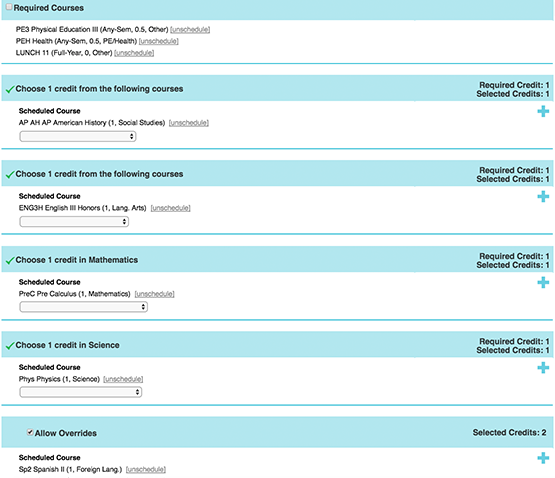
Guide the creation of a sensible master schedule. For each course, choose qualified teachers and rooms where it can be taught. Choose teacher preferences (Mr. Jones typically teaches AP Calculus in room 101) and define departmental "wings" (these rooms all have priority for English classes).
Generate Master Schedule
Using the above constraints and the course request conflict matrix (ie - 18 students selected AP Calculus and AP Physics, both are singletons, don't schedule them together). automatically calculate a sensible master schedule.
Load Students
Automatically place students into sections to fulfill their course requests. This can be done regardless of whether the master schedule is manually or automatically generated. Also respect student and teacher avoid lists (never schedule Johnnie in the same section as Freddie or with Mr. Smith).
Analyze Schedules
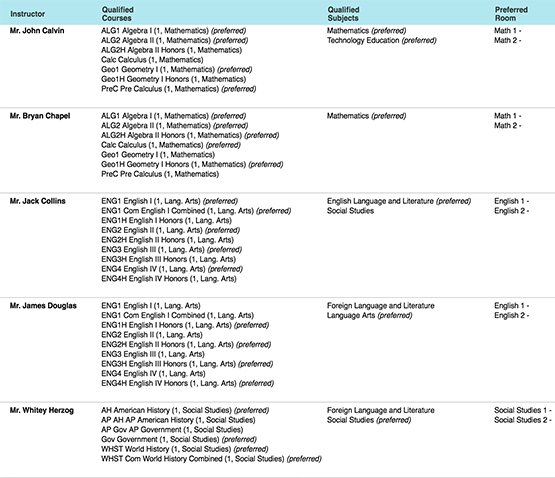
After creating a schedule, analyze its quality. What percentage of students are completely scheduled? What percentage of course requests are fulfilled? How many required courses are fulfilled? How many alternates are used? What about the section size balance? Or gender/ethnicity balance? Use this data to decide whether your schedule is good enough or whether it needs more work.
Save/Restore
Creating schedules is an iterative process. At any time, save your current schedule and restore it later. You can safely optimize a schedule or try "what if" scenarios. This allows you to search for the perfect schedule while still allowing you to get back to a "good" one.
Manual Schedule Creation
In addition to powerful automatic scheduling tools, also manipulate the schedules manually. Make changes to master and students schedules and lock them, all future automatic changes will respect those changes. Use human intelligence in the process.
Balance and Optimize
Balance student/seat counts across sections of a course. Balance gender and ethnicity too. Rerun automatic routines to optimize schedule completion versus gender, ethnicity, and section size balance.
Lunch Handling
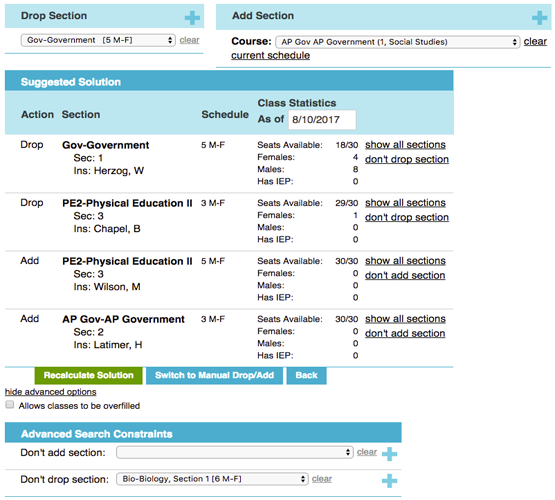
Supports automatic scheduling of full period and partial period lunch. Calculates period times, places lunch on master schedule, and schedules students into the appropriate lunch periods. Supports uniform student placement or separating students by grade level or team/house. Precisely tune the process.
Teams/Houses
Separate the students/instructors into teams to create a school within a school. Create an intimate learning environment within a large building. All automated and manual functionality can be run over the entire population or within a team.
Cycles Days/Bell Schedules
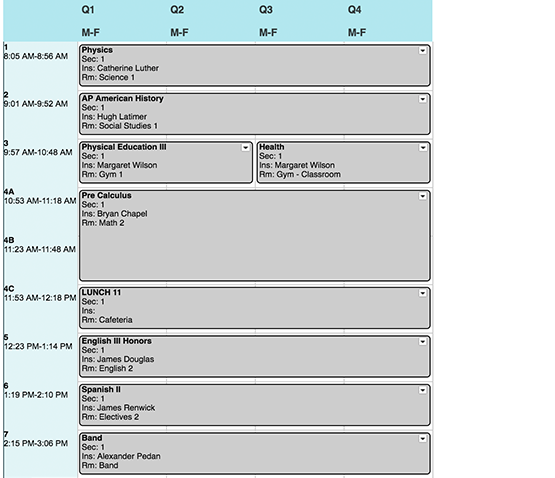
Have precise control over scheduling cycle and periods. Choose a M-F, A/B alternating days, block scheduling, or any schedule that best fits your environment. Configure the schedule to support your education philosophy.
Print Schedules
After schedules have been completed, easily distribute them. Print schedules for teachers, students, and rooms. All information is available online too.
The advanced scheduling module does the bulk of the work for me. The conflict matrix shows exactly what needs to be fixed. I like how students submit course suggestions and the software builds their schedules. The tech support is very helpful.